


Install The Theme
In your WordPress dashboard hover over Appearance in the left hand side menu then click on Themes.
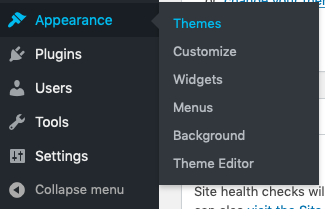
On the Themes page click Add New.

(And don’t worry if the number is different from the one in the picture – that’s utterly irrelevant. Trust me.)
Once you’ve pushed that button a new page will load and you’ll see this:

Go ahead and press the Upload Theme button and this panel will appear:
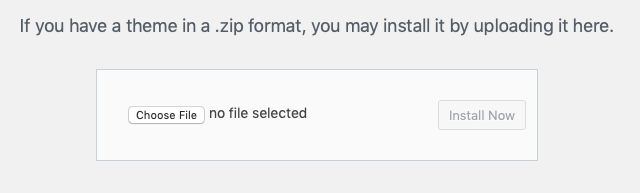
First press the Choose File button and locate the Chapter One zip file you downloaded from ThemeForest on your computer. If you’re anything like us it’s probably right there in your Downloads folder. Once you’ve found it you can click Install Now.
Once the theme is installed you’ll see this:
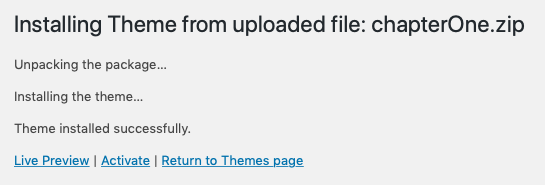
Click on Activate and you’ll be taken to the Themes page where you’ll see several messages.

DON’T PANIC we did this on purpose to help keep things as simple as possible. This notification is confirming that we’ve:
- Deleted the ‘Hello World’ post which is there when you install WordPress
- Deleted the test comment that is on the post
- Changed some of the more boring settings that will help you have a phenomenal author site but are so tedious that we can’t even bring ourselves to type them
- Created a page called ‘Home’ and made it your front page (more on this soon!)
The next message looks like this:

To make things even easier we’ve bundle some of the plugins you’ll need to install. Click Begin installing plugins
A new page will load Install Required Plugins
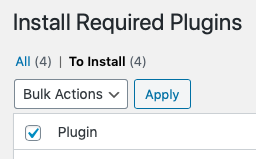
Click the checkbox you can see in the image above.
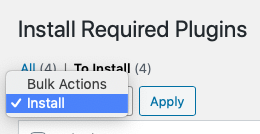
Now click on the Bulk Actions dropdown menu and choose Install then press the Apply button.
The plugins will install then you’ll see this at the bottom of the screen
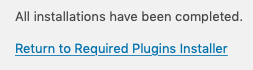
Click Return to Required Plugins Installer and you’ll see you saw a moment ago. Same plugins listed but this time they’re installed. Now we just need to Activate them.
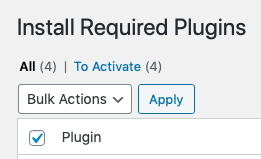
Once again click the checkbox as in the image above.
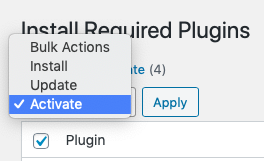
This time you’re faced with more options in the Bulk Actions dropdown menu so you just choose Activate and then press the Apply button.
When everything is activated you’ll see this:
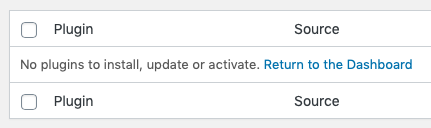
Congratulations! Everything is installed and ready to be styled into the single greatest author website known to humanity. Click on Return to the Dashboard to be rid of this nonsense and move on to the most interesting part. YOU.
Click here to start setting up the Front Page.
Hang on… did you have a problem?
If you didn’t – just ignore this bit. If you did…
Sometimes you already have other plugins installed that you’d prefer to keep rather than the ones we’ve bundled. And that’s not a problem.
These plugins are there as helpers so, technically, everything will still work if you choose not to use them. We’re just trying to make everything as easy as possible so, if you want to know…
- Contact Form 7 – you don’t need this if you don’t want it or want to use a different plugin. Gravity Forms is great after all but you have to pay for that one!
- Yoast SEO – our favourite SEO plugin. It’ll help get you seen with minimal effort. Other SEO plugins are available.
- ACF analysis for Yoast SEO – is a help plugin for the one above. If you don’t use that you don’t need this!
- WP-Paginate – is used to get those nice numbers at the bottom of the lists of your blog posts. We’d prefer you kept this one but again, not essential.
If you do choose not to install or activate one or more then you’ll continue to get the reminder telling you to install them. Simply press Dismiss this notice and it will never darken your doorway again.
Now go and start setting up the Front Page. For real this time.