


Site Identity
What’s more important than your own personal identity? Your Site Identity, of course.
If you click on Site Identity in the Customizer’s left hand column. You’ll see this:
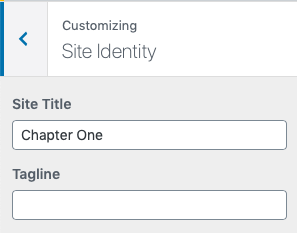
The Tagline isn’t used in the Chapter One theme so you can ignore that box. The Site Title would usually be your name (or your pen-name if you’re so inclined). After you’ve typed in the box you’ll see your name appear in the Preview in the header of the site.
Under the empty Tagline box there is an option to upload a Site Icon.
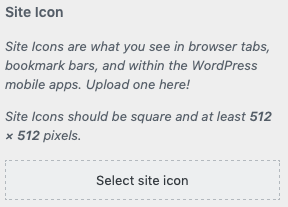
As the explanation says, you can upload a mini-icon if you have one. If you do, click the Select site icon button. You can then choose one from other files you’ve uploaded already or click on the Upload Files tabs then Select Files and you can select the image from your computer.
Once uploaded, if the image is too large (or the wrong shape!) WordPress might prompt you to crop the image. Afterwards press the blue Select button.
Once you’ve finished making amends to this section don’t forget to push the Publish button at the top of the page.
Next on the list? Let’s get on to changing the header of the website.